

Most finance teams find out their automation broke the same way: someone downstream notices a number looks wrong. A vendor calls asking why they got paid twice. A month-end reconciliation refuses to tie out. The AP sync that's been "working fine for months" quietly stopped pulling invoices three weeks ago, and nobody knew because it failed silently — no error, no alert, just nothing showing up.
That gap between "the automation broke" and "a human noticed" is where the real damage lives. And it's almost never a code problem. It's a governance problem. Nobody owns the automation, nobody defined what "healthy" looks like, and there's no agreed process for what happens when something drifts.
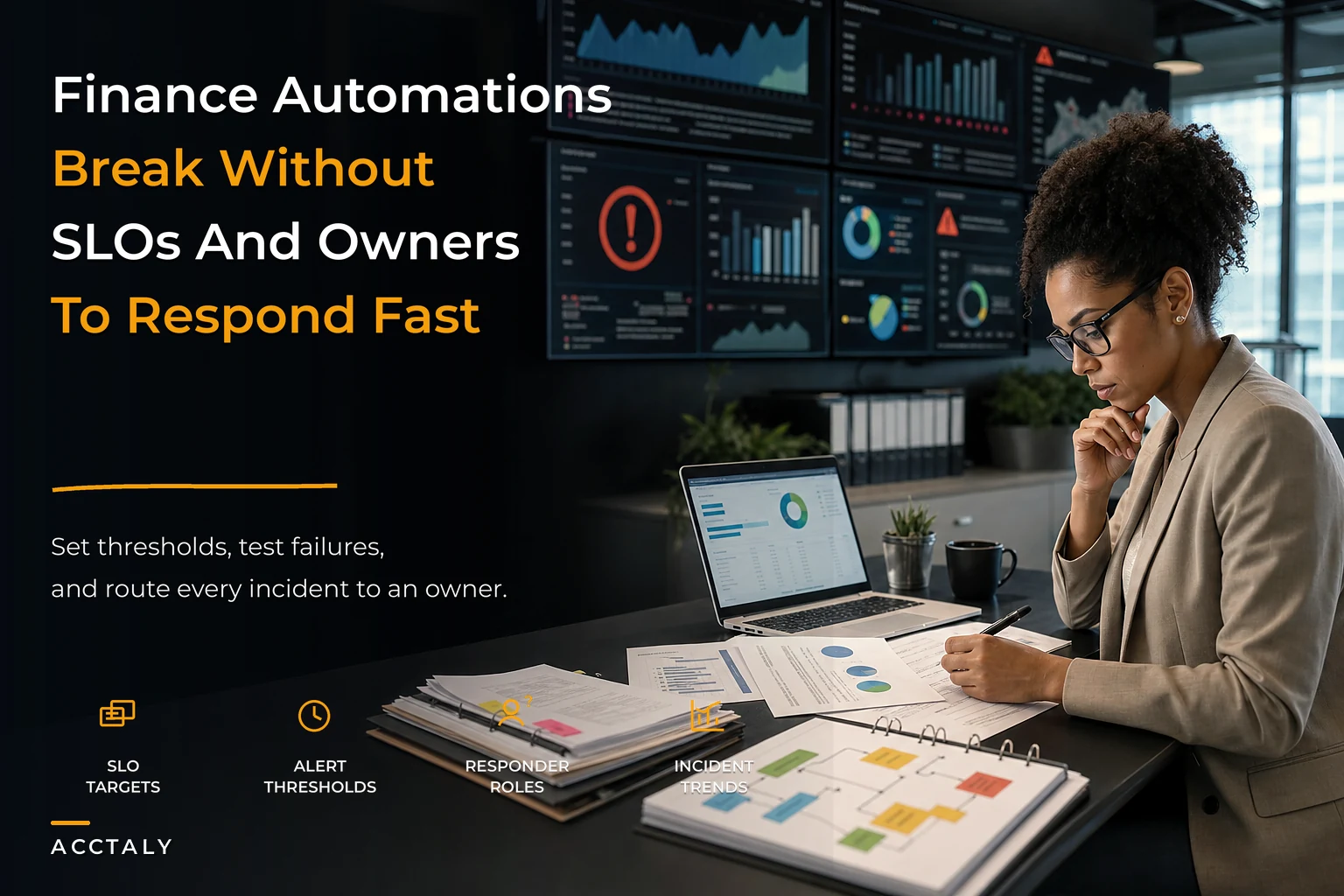
This is what financial automation observability governance actually means — not fancy dashboards, but a clear system that tells you when something's off, who's responsible, and how fast it needs to get fixed. Below is a blueprint you can adapt whether you're running two automations or twenty.
Why finance automations fail quietly (and why it gets worse as you grow)
When you first set up an automation — say, syncing bank transactions into your ledger or auto-matching POs to invoices — it usually works because one person built it and that same person watches it. They know its quirks. They notice when the transaction count looks weird. The observability lives in someone's head.
That works at three people. It falls apart around ten.
The reason is coordination, not complexity. As you add automations, integrations, and people, the number of things that can silently break grows faster than anyone's ability to eyeball them. A typical mid-sized finance stack has connections running between the bank, the payment processor, the billing system, expense tools, payroll, and the general ledger. Each connection is a potential failure point. Each one can degrade differently:
-
A sync that runs but pulls stale data
-
A webhook that fires but drops every third payload
-
An API that changes a field name and silently maps garbage into your GL
-
A rule that keeps working but on the wrong threshold after someone edited it
None of these throw a loud error. They just quietly produce wrong numbers, and wrong numbers in finance compound. A misclassified transaction in week one becomes a reconciliation nightmare in week four and a restated report by quarter-end.
We covered the underlying fragility of these connections in more depth in our piece on why fragile integrations slow your close, but the observability layer is the part most teams skip entirely. They build the pipes and never install the pressure gauges.
The four things every finance automation needs before you trust it
Before an automation is allowed to run unsupervised, it should have four things defined. Not documented in a perfect wiki — just decided and written somewhere findable.
Stop letting accounting slow your business down.
Acctaly automates your financial operations so you can focus on growth and compliance.
- Automated bookkeeping
- Real-time financial reporting
- Integrated tax management
No credit card required
-
An owner. One named person accountable for the automation's health. Not a team. A person.
-
A definition of healthy. What does a normal run look like? How many records? What dollar range? How often?
-
An alert condition. What specifically triggers a human to look? And who does it page?
-
A runbook. When it breaks, what are the exact steps to diagnose and recover?
If any of these four is missing, you don't have an automation. You have a liability that happens to save time until it doesn't.
Most SMB finance teams have zero of the four for at least half their automations. That's the real starting point — not building better dashboards, but getting the basics defined for the things that are already running.
SLAs and SLOs: setting the bar for "working"
People throw these terms around loosely, so here's how they actually apply to finance ops.
An SLA (service-level agreement) is the promise you make to the business — "reconciliations will be current within one business day." An SLO (service-level objective) is the internal target that keeps you honest — "the bank sync completes successfully 99% of scheduled runs, within 15 minutes of the scheduled time." The SLO is what you actually monitor. The SLA is what you're protecting.
We wrote a full breakdown on building enforceable finance SLAs and KPI mappings that pairs well with this. The observability layer is what makes those SLAs enforceable instead of aspirational — an SLA nobody measures is just a wish.
Here's a starting SLO table you can adapt. These are realistic targets for a growing SMB finance team, not enterprise-grade numbers:
| Automation | SLO target | Freshness window | Warning threshold | Breach threshold |
|---|---|---|---|---|
| Bank transaction sync | 99% successful runs | < 4 hours old | 1 missed run | 2 consecutive missed runs |
| Invoice/PO auto-match | 95% auto-matched | Same business day | Match rate < 90% | Match rate < 80% |
| Payment run export | 100% success | Real-time | Any partial batch | Any failed batch |
| Expense feed import | 98% successful runs | < 24 hours | Volume ±30% vs. avg | Zero records in 48h |
| Revenue/billing sync | 99% record integrity | < 6 hours | 1% row mismatch | 3% row mismatch |
The two most useful columns here are the ones people forget: freshness and volume anomaly. A sync can succeed every single time and still be broken if it's pulling data that's 40 hours stale. And a "successful" import of zero records is one of the most common silent failures in finance automation — everything's green, nothing came through. Those two columns alone will catch more real failures than the success rate ever will.
Validation tests: catching the failures that don't error out
Success/failure status is the weakest signal you have. The stronger signal is whether the output actually makes sense. That's what validation tests check.
Think of these as sanity checks that run after every automation completes:
-
Volume checks — did we get roughly the number of records we expected? A payment file with 4 lines when it's usually 200 is a red flag even if the export "succeeded."
-
Reconciliation checks — does the total in the source match the total that landed? Sum of transactions in equals sum recorded.
-
Balance checks — did anything go negative that shouldn't? Did a control account move when it shouldn't have?
-
Duplicate checks — did the same invoice ID or transaction reference land twice?
-
Range checks — is any single value wildly outside the normal band? A $2.4M expense reimbursement is probably a data error.
The failures that actually cost money are almost always things a status light won't catch. The sync ran. The file exported. The numbers were just wrong. Our accounting data-governance playbook for continuous reconciliation goes deeper on the reconciliation side of this — reconciliation is the ultimate validation test, just run continuously instead of once a month.
A practical rule: every automation that touches money or the GL should have at least one validation test that compares a total to an independent source.
If you can't compare it to something, you can't trust it.
Alerts and playbooks: making the signal actionable
Most teams overcorrect here. They discover observability, wire up alerts on everything, and within two weeks nobody reads them because it's all noise. Alert fatigue kills more monitoring systems than under-monitoring does.
The fix is tiered alerts tied to severity, each with a defined response.
| Severity | Example trigger | Who's notified | Response expectation |
|---|---|---|---|
| P1 — Critical | Payment run failed; GL out of balance | Owner + finance lead, immediately | Drop everything, respond same hour |
| P2 — High | Bank sync missed 2 runs; 3% row mismatch | Owner, within the hour | Investigate same business day |
| P3 — Medium | Match rate dipped below 90%; volume anomaly | Owner, batched digest | Review within 1–2 days |
| P4 — Low | Minor threshold drift; informational | Digest / log only | Review at weekly close |
Two things make this work. First, only P1 and P2 interrupt someone. Everything else lands in a digest. Second, every alert names an owner. An alert that goes to a shared inbox goes to no one — that diffusion of responsibility is why so many alerts get ignored until the damage is done.
The alert should also carry context, not just "sync failed." A useful alert says what broke, what the expected value was versus actual, when it last worked, and a link to the runbook. The person responding shouldn't have to go excavating to figure out what they're even looking at.
Runbook templates: what to actually do when it breaks
Runbook: Bank Transaction Sync Failure
-
What this does Pulls transactions from [bank] into the ledger every 4 hours.
-
Owner [Name]. Backup: [Name].
-
How to confirm it's actually broken Check last successful run timestamp. Compare today's transaction count to the trailing 14-day average.
-
Most common causes (in order)
-
Bank connection expired — re-authenticate credentials.
-
Bank-side maintenance window — check status page, wait and re-run.
-
Duplicate detection blocked the batch — review flagged records, clear or merge.
Recovery steps: Re-run the sync manually. Confirm volume matches expectation. Run the reconciliation validation check before marking resolved.
Escalate if: Two manual re-runs fail, or the mismatch exceeds $5k. Escalate to [finance lead].
After resolution: Note the cause in the incident log. If it's the third time this quarter, it goes on the fix-permanently list.
That last line matters more than it looks. Runbooks handle recurrence. Observability without a feedback loop just means you get very good at firefighting the same fire over and over.
The owner and responder model as you scale
At 1–3 people: One person owns everything, realistically. The goal isn't role separation — it's just writing the four things down so that when that person is on vacation, someone else can respond. The single biggest risk at this size is a bus factor of one. Document the runbooks for your future self.
At 4–10 people: Now you can assign owners per domain — someone owns AP automations, someone owns bank and reconciliation, someone owns billing. You want a primary and a backup for each. This is also the stage where alert routing needs to get specific, because "email the finance team" stops working the moment more than one person could plausibly be responsible.
At 10–50 people: You need a lightweight on-call rotation and a real incident log. Not enterprise on-call — just a clear "this week, P1 and P2 alerts go to this person" schedule, and a running record of what broke, how often, and what got fixed. The incident log becomes your prioritization engine: the automations that break most often get the investment to break less.
The pattern that holds across all three stages: ownership must be a name, not a team, and it must be paired with a backup. Teams that skip the backup discover the gap at the worst possible moment — the one week the owner is unreachable.
When heavy observability is overkill
Not everything needs the full treatment, and pretending it does will bury you in process.
You probably don't need SLOs, tiered alerts, and formal runbooks for:
-
Automations that don't touch money or the GL (internal notifications, report emails)
-
One-off scripts you run manually and watch
-
Automations where the output is immediately and obviously visible anyway
You do need the full model for anything that:
-
Moves money (payments, transfers, payroll)
-
Writes to the general ledger
-
Feeds numbers that leave the building (investor reports, board decks, lender covenants)
-
Runs unattended on a schedule where a silent failure could go days unnoticed
The honest filter: if this broke silently for two weeks, how much would it cost to fix? If the answer makes you wince, it needs observability. If it's a shrug, leave it alone. That question cuts through a lot of overthinking about what deserves monitoring.
A real scenario
A B2B services company, around 30 people, was running maybe a dozen finance automations — bank syncs, an AP approval flow, invoice matching, a revenue sync into their GL. All built over about a year, all owned informally by their one finance ops person.
Their invoice-matching automation started silently dropping a slice of vendor bills after a billing-system update changed a field format. It didn't error. It just stopped matching those bills, which meant they sat unrecorded. Nobody noticed for close to five weeks, because the automation reported "success" every run.
By the time month-end wouldn't reconcile, they had roughly $40k in unrecorded liabilities and two vendors chasing overdue payments. The cleanup — tracing what dropped, re-recording, re-running reconciliation, and rebuilding trust with the vendors — ate the better part of two weeks of finance time.
The fix afterward wasn't complicated. They added a validation test comparing invoice volume week-over-week, a P2 alert on any drop over 20%, an owner and a backup, and a one-page runbook. Total setup was maybe a day and a half of work. The next time the match rate dipped — and it did, a couple months later — they caught it the same afternoon. The mismatch that quarter was under $2k and resolved before it touched the books.
Nothing about that fix was sophisticated. The difference was entirely that someone had decided, in advance, what "broken" looked like and who would respond.
Putting it together
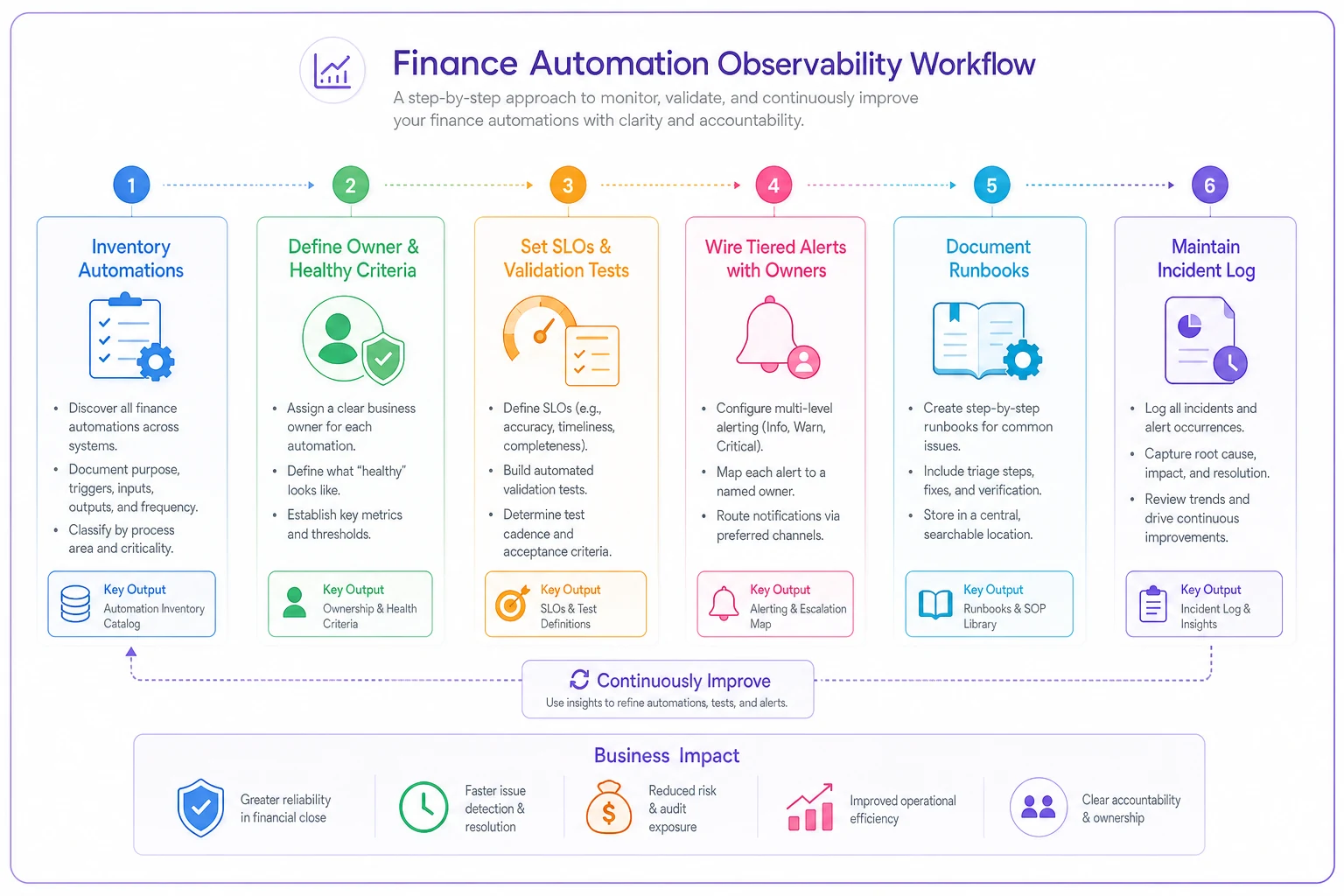
You don't need to build all of this at once, and you shouldn't. Start with the automations that move money or feed external reports, define the four basics for each — owner, healthy definition, alert condition, runbook — and expand from there. A useful sequence:
-
Week one List every finance automation and what it touches. Flag the ones that move money or hit the GL.
-
Week two Write SLOs and one validation test for each flagged automation.
-
Week three Wire tiered alerts with named owners and backups.
-
Ongoing Keep an incident log. Let recurring failures earn their way onto the permanent-fix list.
Visual workflow for the sequence above:
The teams that operate automations safely aren't the ones with the fanciest tooling. They're the ones who decided ahead of time what healthy looks like, who's watching, and what happens when it isn't. That decision — not the dashboard — is the whole game.
Automation without observability isn't leverage. It's just faster ways to be wrong.
Ready to take control of your finances?
Join over 2,000 businesses using Acctaly to simplify accounting, accelerate cash flow, and ensure tax readiness.